50 Hz on STe: the bug that only showed up with enemies
The STe hardware scroll finally gives me 50 Hz. I thought the engine was settled. The day I let loose enemies that prowl out to the edges of the screen, a piece of scenery started appearing in the wrong place. The story of a trap that had been lying in wait for months.
50 Hz, and what it costs
For this top-down game I want a truly full scroll, at 50 frames per second, on the STe. The good news is that this machine can shift its display without copying the image: it simply points somewhere else in its memory. The camera follows the hero, the scenery streams past, and the processor never exhausts itself copying a whole screen. It's the only way to get both smoothness and enough headroom to bring the gameplay to life.
The price is memory. The simplest way to slide the image would be to keep the whole world in memory, and that doesn't fit on a one-megabyte machine once you have housed the sprites, the music, the code and the levels in it. So I use a clever memory layout, borrowed from the demo scene, that only keeps a narrow strip of the world at a time and redraws it as the camera advances. It fits in a megabyte, and it delivers hardware scroll at 50 Hz. The catch, I would learn later.
The hero never had a problem
The hero is always in the centre of the screen. To draw him, I save the scenery under him, display him, then on the next frame I put the scenery back. That has worked for a long time, smoothly, without the slightest smear. I thought the engine was fine.
The day the enemies moved
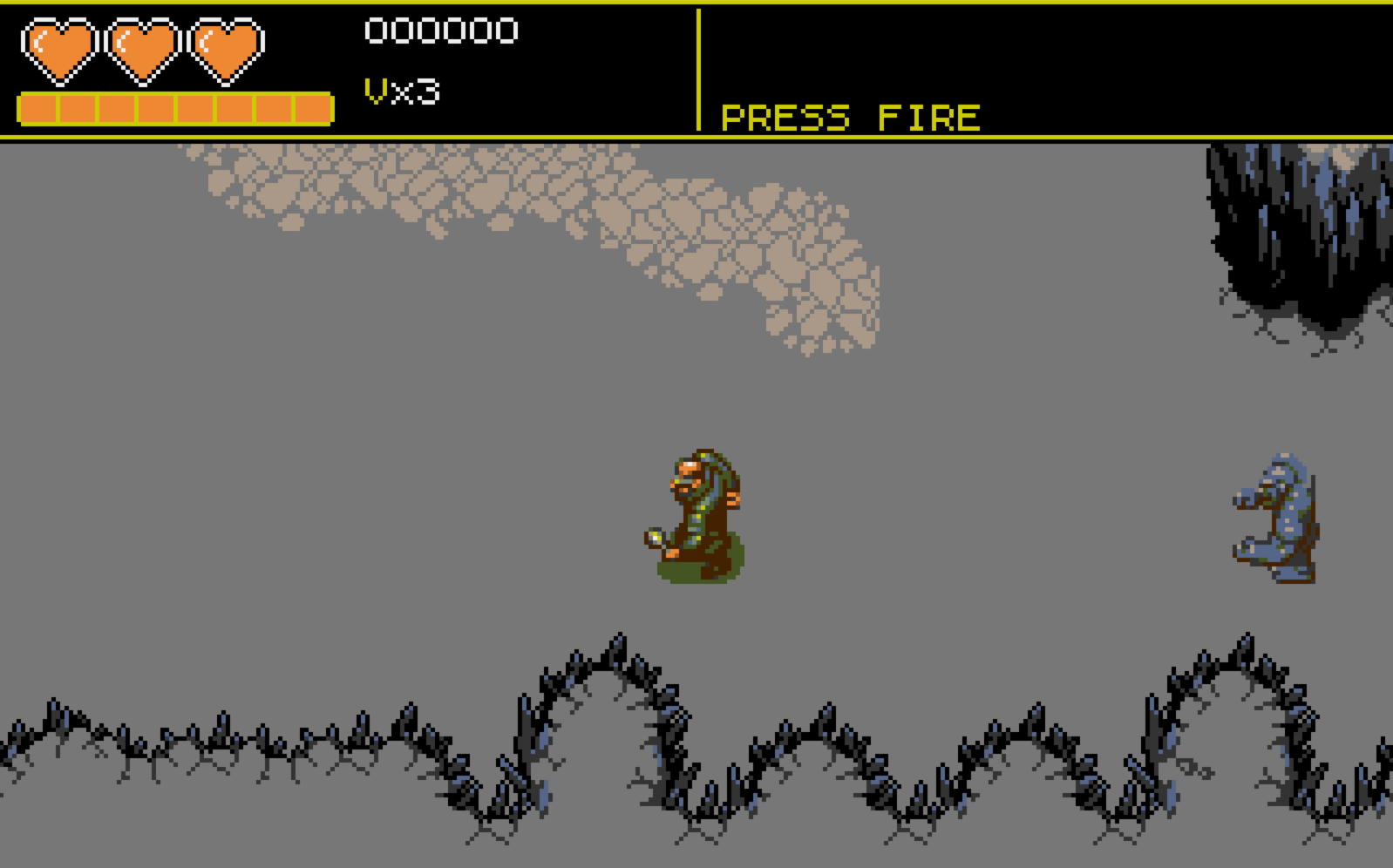
I wired up the level's enemies, Chaos Engine style Rock Men who chase the hero and throw rocks at him. They aren't centred: they prowl across the whole width of the screen, out to the edges. And then a rectangle of scenery started appearing in the wrong place, a chunk of rock face pasted onto the grey ground, especially when I doubled back on myself.
As long as all the enemies stay entirely on screen, I can sweep the camera left and right without the slightest defect. The offset only appears the moment I move a little fast and at least one enemy vanishes off an edge. A sprite disappearing, that is the trigger.
To see the defect without being bothered by the real scenery, I replaced each column of tiles with a flat colour, one per column, cycling. The scenery became coloured vertical bars, and the colour of a displaced bar gave away where it had come from. The verdict was clear: a piece of scenery was being displayed in one place, but showing the contents of another, much further away.

Why the edge, and not the centre
The memory layout that lets me fit inside a megabyte has a peculiarity: it folds back on itself. Beyond a certain width, two places in the world end up sharing the same memory cell. As long as you draw in the heart of the visible strip, that fold always lands off screen, invisible and harmless. That is exactly why the hero, always centred, never revealed anything: he is in the middle, far from the edges where the fold bites.
An enemy hugging the edge, on the other hand, overflows just enough for its footprint to land in the folded area. The scenery redrawn underneath it then ends up copied onto the opposite edge, off camera, where we never clean it up. The corruption settles in behind the scenes, and jumps out at you as soon as you double back. The original prototype, which only had a centred hero, simply couldn't bring this trap out.
The fix, without giving up 50 Hz
The idea behind the fix fits in one sentence: never trust a screen copy, always go back to the clean source. Rather than saving and then restoring the pixels under each enemy, which ended up copying any smear already present round and round, I redraw the scenery under each sprite directly from the level, on every frame. The source is always clean, so there is nothing left to propagate.
To that I added a sort of guard rail at the edges: an enemy too close to the edge is removed from the screen a touch earlier than before. To the eye it's barely noticeable, but it guarantees that its footprint never again overflows into the trapped area. And when an enemy leaves the screen, I carefully clean the trace it was leaving, making sure that this cleanup doesn't itself overflow in turn. The snake no longer bites its own tail.
Taking stock
The hardware scroll holds 50 Hz on the STe, including scenery, plague outbreaks, hero and lantern jet, and the scenery stays stable, with no ghost rectangle, even doubling back at full speed with the Rock Men and their rocks prowling out to the edges.
An honest reservation, measured with a joystick in hand: when the fighting really thickens, three Rock Men charging and throwing their rocks all at once, the frame rate dips a little while that big batch of sprites goes through. The cost is neither the outbreaks nor the enemy intelligence, it's those big sprites displayed all at once. Outside those spikes, it's solid 50 Hz. The same binary switches to software scroll on the STf, detected at startup.
The same mechanic, redraw from the source and stay away from the edges, then serves everything else the hardware scroll didn't yet know how to display: the plague outbreaks, laid behind the hero like background scenery, and the lantern jet, those chevrons the hero projects in front of him (and which I'm going to have to get a designer to redo ;) ). Each one starts again from the clean level, so none of them brings any dirt to the screen.
The moral joins the one from the parallax: on the Atari ST, the memory tricks that fit the impossible into a megabyte always have a hidden catch. Here, winning both smoothness and space required a memory that folds back on itself. It took nothing more than an always-centred hero to hide the trap for months, and a single enemy leaving the screen to bring it out.
The current version of the game is downloadable here as an .st floppy image. Mount it as floppy A in Hatari, in STe mode for the 50 Hz hardware scroll, or in STf mode for the software scroll: it's the same file, it detects the machine at boot. For the current version of the game, see also the homepage.
Leave a comment